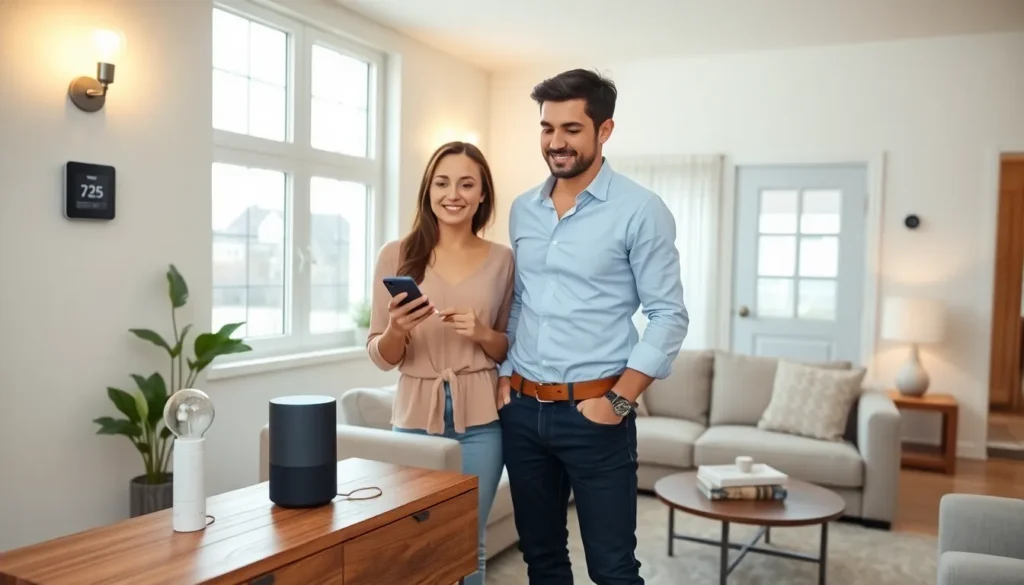

Smart home tech for beginners can feel overwhelming at first glance. Voice assistants, smart bulbs, connected thermostats, the options seem endless. But here’s the good news: getting started is much simpler than most people think. This guide breaks down the basics of smart home technology, highlights the best devices for newcomers, and walks through setup step by step. By the end, anyone can transform their living space into a connected, convenient home without a tech degree or a massive budget.
Table of Contents
ToggleKey Takeaways
- Smart home tech for beginners starts with just one or two devices—a smart speaker and smart bulbs create a solid foundation.
- Voice assistants like Amazon Alexa, Google Assistant, or Siri serve as the command center for controlling all connected devices.
- Smart plugs under $25 can turn any existing lamp or appliance into a smart device without complex installation.
- Choosing one ecosystem (Alexa, Google, or Apple) and sticking to it keeps setup simple and ensures better device compatibility.
- Look for “Works with” labels or Matter-certified products to avoid compatibility issues when expanding your smart home.
- Start small and master a few devices before expanding—experience will guide smarter purchasing decisions.
What Is Smart Home Technology?
Smart home technology refers to devices that connect to the internet and can be controlled remotely. These gadgets communicate with each other and with smartphones, tablets, or voice assistants. The result? Homeowners can adjust lighting, lock doors, monitor security cameras, and control thermostats from anywhere.
At its core, smart home tech for beginners revolves around three key elements:
- Connected devices: Physical products like smart bulbs, plugs, and cameras
- A central hub or app: Software that controls and coordinates devices
- Internet connectivity: Wi-Fi or Bluetooth that links everything together
Most smart devices work through Wi-Fi, though some use Bluetooth, Zigbee, or Z-Wave protocols. Don’t worry about memorizing these terms right now. What matters is understanding that smart devices “talk” to each other and to a central control point, usually a smartphone app or voice assistant.
The appeal is obvious. Imagine dimming the lights without leaving the couch, or checking if the garage door is closed from 50 miles away. Smart home tech makes daily routines more efficient and gives homeowners peace of mind.
Essential Smart Home Devices to Start With
Beginners don’t need to buy everything at once. Starting with one or two devices makes the learning curve manageable. Here are the best entry points for smart home tech for beginners.
Smart Speakers and Voice Assistants
A smart speaker serves as the command center for most smart homes. Amazon Echo (with Alexa), Google Nest (with Google Assistant), and Apple HomePod (with Siri) are the three major options.
These devices do more than play music. They answer questions, set timers, create shopping lists, and, most importantly, control other smart devices through voice commands. Saying “turn off the living room lights” beats fumbling for a switch in the dark.
For those new to smart home tech, the Amazon Echo Dot or Google Nest Mini offer affordable starting points. Both cost under $50 and deliver solid performance. The choice often comes down to ecosystem preference: Android users might lean toward Google, while iPhone owners sometimes prefer Apple’s HomePod.
Smart Lighting and Plugs
Smart bulbs and plugs offer the quickest wins for beginners. They’re inexpensive, easy to install, and deliver immediate results.
Smart bulbs like Philips Hue, LIFX, or Wyze replace standard light bulbs. Once installed, users can:
- Dim lights or change colors via app
- Set schedules (lights on at sunset, off at midnight)
- Control lights with voice commands
- Create “scenes” for movie night or dinner parties
Smart plugs are even simpler. They plug into existing outlets and turn any device into a smart device. A lamp, coffee maker, or fan becomes controllable from a phone. Brands like TP-Link Kasa, Amazon Smart Plug, and Wemo offer reliable options under $25.
For smart home tech for beginners, starting with a smart speaker and two or three smart bulbs creates a solid foundation. Expansion can happen gradually from there.
How to Set Up Your First Smart Home System
Setting up a smart home system takes less time than most expect. Here’s a straightforward process anyone can follow.
Step 1: Choose an ecosystem
Pick a voice assistant platform, Alexa, Google Assistant, or Siri. This decision shapes which devices work best together. Mixing ecosystems is possible, but sticking to one keeps things simpler.
Step 2: Download the relevant apps
Each smart device has its own app. Download them before unboxing anything. The Alexa app, Google Home app, or Apple Home app will serve as the central hub.
Step 3: Connect devices one at a time
Start with the smart speaker. Plug it in, open the app, and follow the on-screen instructions. The app guides users through Wi-Fi connection and initial settings.
Next, add other devices. Smart bulbs typically require screwing them in, opening the manufacturer’s app, and following setup prompts. Most apps then offer an option to link the device to Alexa, Google, or Siri.
Step 4: Test voice commands
Once devices are connected, try basic commands. “Turn on the bedroom light” or “set living room to 50%” should work immediately. If something doesn’t respond, check the app for troubleshooting tips.
Step 5: Create routines and automations
This is where smart home tech for beginners gets fun. Routines let multiple actions happen with one command. A “good morning” routine might turn on lights, read the weather forecast, and start the coffee maker. Most smart home apps make creating routines intuitive.
Tips for Choosing Compatible Devices
Compatibility matters more than brand loyalty in smart home tech. Here’s how beginners can avoid frustration.
Check for “Works with” labels
Product packaging and descriptions list compatible platforms. Look for “Works with Alexa,” “Works with Google Assistant,” or “Works with Apple HomeKit.” Devices with these labels integrate smoothly with the chosen ecosystem.
Consider Matter-certified products
Matter is a newer standard that ensures devices work across all major platforms. Products with Matter certification connect to Alexa, Google, and Apple without extra steps. As smart home tech for beginners expands, Matter-certified devices reduce headaches.
Stick to Wi-Fi devices initially
Some smart devices require separate hubs (like Philips Hue’s bridge). Wi-Fi-enabled devices connect directly to the home network without additional hardware. This keeps setup simple and costs down.
Read reviews for real-world performance
Specs only tell part of the story. User reviews reveal connection reliability, app quality, and long-term durability. A five-minute review scan prevents buying devices that look good on paper but frustrate in practice.
Start small, then expand
The urge to automate everything at once is real. Resist it. Mastering a few devices builds confidence and reveals personal preferences. Some people love smart thermostats: others never touch them. Experience guides better purchasing decisions.